

A systems disruption affecting 10–15 staff for 3–4 hours can cost a typical 20–50-person construction company 30–60 productive hours in one incident. Poor site connectivity, disconnected systems and delayed access to current project information can all interrupt work. Reducing project delays caused by poor connectivity starts with identifying where communication and data access may fail.
It’s frustrating when teams are ready to work but can’t access plans, coordinate decisions or share updates reliably. Connectivity is only part of the picture: unclear communication processes and scattered documents can turn a small IT issue into a site-wide hold-up.
This article explains the IT and connectivity problems that commonly slow construction work, practical steps to prevent avoidable setbacks, and ways to manage risks at remote Australian job sites. You’ll also learn how to assess a site’s communication needs before mobilisation and plan for disruption when conditions make a reliable connection difficult.
Key Takeaways
- Map how teams access plans, communicate decisions and share updates to identify where IT disruptions could stop work.
- Centralise project documents and communication so office and site teams can work from the same current information.
- Assess remote-site conditions before mobilisation, then match the connectivity setup to coverage, terrain and site requirements.
- Use risk owners, regular progress reviews and suitable communications equipment to address connectivity issues before they affect critical work.
1. What IT Problems Delay Construction Projects?
Poor connectivity can stop construction projects when crews can’t retrieve drawings, submit updates or coordinate deliveries. In a typical 20–50-person construction company, a disruption affecting 10–15 staff for 3–4 hours can cost 30–60 productive hours in one incident. Even small IT issues can delay work by several hours to multiple days.
Common causes include weak site coverage, unstable connections, disconnected software and poorly organised files. For example, a supervisor may have an outdated plan while the office team has issued a revision. If the current drawing or approval is inaccessible, work may pause, proceed incorrectly or require rework. Clear document-control processes help teams find the right information and know which version governs the task.
The effects can spread beyond the original IT fault. A missed update may delay a material delivery, leave equipment idle or prevent a subcontractor from starting a scheduled task. These interruptions can slow progress and put pressure on later activities. If a delayed task sits on the critical path, it can affect the project completion date.
Financial impacts can include additional labour expenses, extended equipment hire and possible contract penalties. Rework also uses materials and staff time allocated to other tasks. For example, if a crew installs from superseded specifications, correcting the work may delay follow-on trades and increase labour and coordination demands.
Measure the effect of connectivity improvements by recording outage duration, affected staff and delayed tasks before making changes. After implementation, compare the same measures against that baseline, including missed milestones and rework linked to information access. This helps distinguish connectivity-related delays from those caused by other project conditions.
For a useful comparison, log each incident by location, system and operational consequence. A record might show that a connection failure blocked access to a drawing and held up a specific task. Reviewing these records alongside schedule updates can reveal recurring causes and help target the processes most likely to prevent another interruption.
2. Preventable project delays
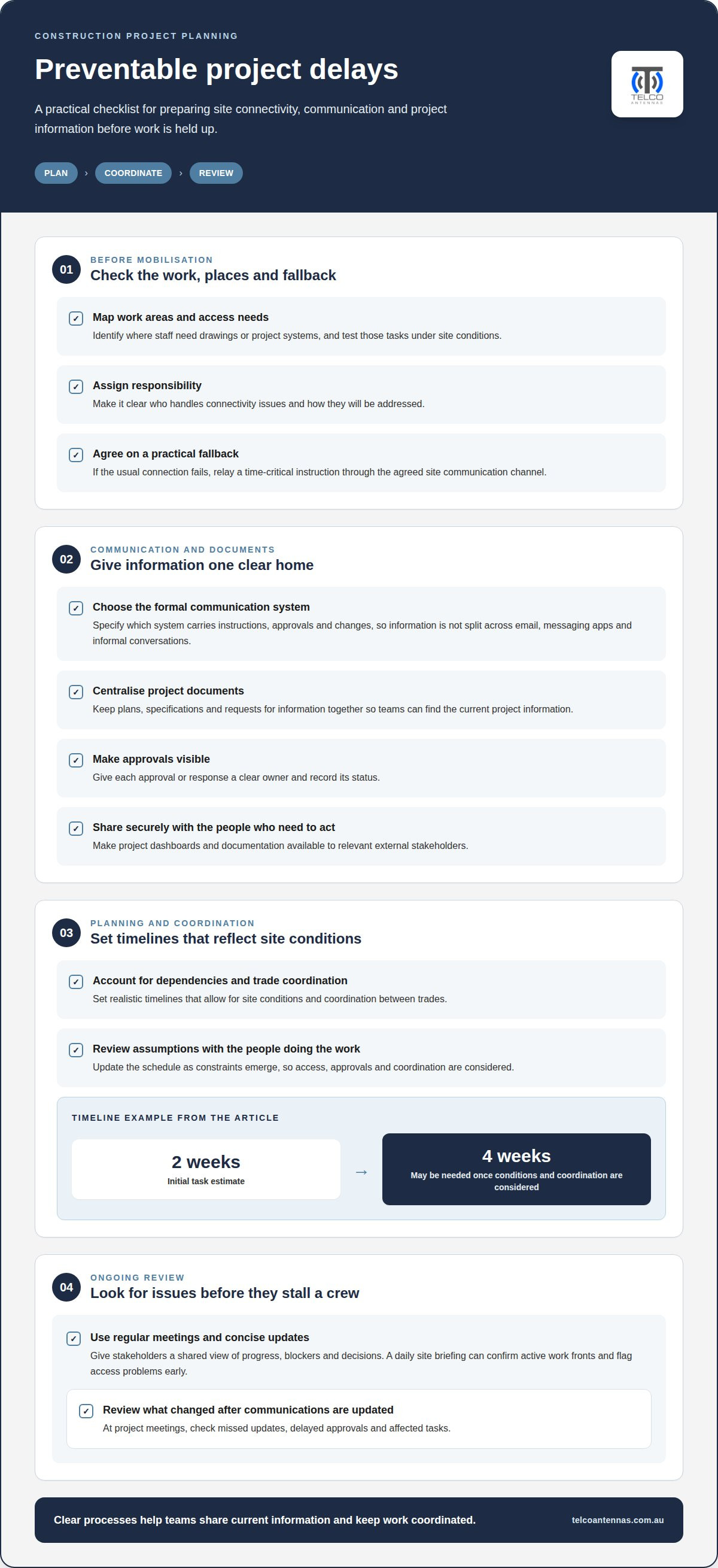
Effective prevention combines pre-start connectivity checks, clear communication protocols and realistic project planning. Specify who shares updates, where stakeholders can find current information and how the team will communicate if the usual connection fails.
Start planning before crews and equipment are committed to a site. Map work areas, identify where staff need access to drawings or project systems, and test those tasks under site conditions. Assign responsibility for connectivity issues and define a practical fallback, such as relaying a time-critical instruction through the agreed site communication channel.
Good communication depends on clarity, not simply more messages. Agree on which system carries formal instructions, approvals and changes, so information isn’t split across email, messaging apps and informal conversations. Regular meetings and concise updates give stakeholders a shared view of progress, blockers and decisions. For example, a daily site briefing can confirm active work fronts and flag access problems before they hold up a crew.
Use these project planning steps to make the process workable:
- Set realistic timelines that account for site conditions, dependencies and coordination between trades.
- Keep plans, specifications and requests for information in a central document system.
- Give each approval or response a clear owner and record its status.
- Share project dashboards and documentation securely with external stakeholders who need to act.
A task estimated at two weeks may require four weeks once site conditions and coordination issues are considered. Review assumptions with the people doing the work, then update the schedule as constraints emerge. This helps distinguish an achievable timeline from one that leaves no room for access, approvals or coordination.
After changes to site communications, review missed updates, delayed approvals and affected tasks at project meetings. If a remote site needs a dedicated connection between work areas, explore suitable site connectivity options as part of the prevention plan.
3. Reliable internet for remote job sites
Remote Australian sites may sit beyond dependable mobile coverage, while terrain and temporary structures can affect signal paths. Assess the actual work areas, not just the site entrance. A connection that works beside the site office may not reach a work face, laydown area or temporary compound.
Start by listing what each team needs to do online. A supervisor may need current drawings and project software, while a survey crew may need to upload field data. Identify which tasks need access at the work location, which involve large file transfers, and which can wait until a connection returns. This separates essential operations from lower-priority traffic.
Next, map worker, building and equipment locations, along with likely obstructions. Compare available connection options with the site layout and the way crews move through it. A fixed office, for example, may need a different arrangement from a work area that shifts as construction progresses. Include external access for engineers, suppliers and project stakeholders.
Test the chosen setup during realistic work, using the devices and software crews will rely on. Open drawings, join a project meeting and upload a typical work record. Note where performance changes, which tasks fail, and whether the issue follows a location, device or connection. This gives the project team practical evidence for adjusting equipment placement or network design.
To assess connectivity requirements, start with work tasks, user locations and the information each task needs. Test those workflows across the site and identify gaps before mobilisation. The right arrangement depends on coverage, terrain, site layout, equipment movement and the project’s applications—a principle reflected globally, where business wireless specialists like Maverick Innovation design corporate mobile broadband setups to keep field teams and project offices connected.
Plan for interruptions as well as normal operation. Decide how crews will access essential instructions if an online system becomes unavailable and how they’ll synchronise records afterwards. A clear process helps prevent duplicate entries and decisions based on stale information. Review the arrangement whenever the work area moves or software requirements change.
4. Risk mitigation
Backup internet costs in Australia depend on the connection, equipment, installation and ongoing data requirements. Compare the full setup, including any secondary service and compatible failover hardware, rather than judging by equipment alone. A remote site may need a different arrangement from a construction office with established infrastructure.
To set up automatic failover, connect primary and backup internet services to a router that supports both. Configure connection monitoring to switch traffic when the primary service becomes unavailable, then test the changeover with the project systems crews rely on. Confirm essential devices reconnect and staff know how to report an outage.
Prepare an offline workflow for essential tasks. Keep approved plans and emergency contact details available locally, record site decisions in a controlled log, and synchronise updates when the connection returns. Mark each entry with its time and author to reduce confusion and keep records consistent. Weekly progress reviews can identify unresolved issues before they affect critical activities.
Public Wi-Fi and mobile hotspots can expose project information if access is poorly secured, and performance may vary with coverage and congestion. Avoid sending sensitive documents over an untrusted connection; use your organisation’s approved secure access method. Treat hotspot access as a contingency, not the sole connection for essential project work.
Assign a risk owner to test the backup path, maintain offline records and coordinate outage communications. After each interruption, review the cause, response and any missed project activity, then update the mitigation plan. For site-specific connectivity planning, discuss project connectivity options suited to the worksite and its operating requirements.
Costs depend on the connection, equipment, installation and ongoing data needs. Compare the complete setup, including the secondary service and compatible failover hardware.
Telco Antennas: Cel-Fi GO Mobile Signal Boosters
Telco Antennas offers Cel-Fi GO Mobile Signal Boosters for construction teams dealing with weak mobile signal at a job site. If the issue is limited signal inside a work area, MIMO antennas and LMR-400 coaxial cables are also available as connectivity components. For linking separate buildings or work areas, Point-to-Point Wireless Bridges may suit the site layout.
The right setup depends on the coverage problem, the distance between work areas and how crews need to communicate. A mobile signal issue differs from a need to connect separate site locations, so identifying the failure point helps guide equipment choices. Telco Antennas supplies connectivity hardware and offers engineering services to help address project requirements.
Contact Telco Antennas to discuss connectivity for your job site.
Make connectivity part of the next site plan
Reducing project delays caused by poor connectivity starts with treating communications as part of site readiness, not a separate IT task. Before each new work phase, revisit where crews will operate, which systems they need and whether the current connection still suits the site. A change in work area can alter signal paths and reveal gaps that earlier testing didn’t uncover.
Assign someone to record connectivity interruptions and include them in schedule reviews. Over time, those records can show whether a recurring issue follows a location, device or workflow. Use that pattern to refine the next mobilisation plan instead of waiting for the same disruption to recur.
Telco Antennas can help identify connectivity equipment suited to your project requirements. Plan your site’s next connectivity step with Telco Antennas, then use the findings to set a practical course forward. With a clear owner and a site-specific plan, your team can make connectivity a manageable part of project delivery.
Frequently Asked Questions
What IT Problems Delay Construction Projects?
Construction projects can lose time through software failures, incompatible systems, access problems and unreliable site networks. Reducing project delays caused by poor connectivity means checking not only network access, but also device readiness and software compatibility. For example, a field tablet that can’t open a model because its software version differs from the office system can hold up a design decision, even when the connection works.
Can technology really help prevent construction delays?
Yes. Technology can help teams identify coordination problems earlier and act on current information. Building Information Modelling (BIM), for example, lets project teams review design information in intelligent 3D models and spot clashes before field installation. Drones can provide aerial images for progress checks, while sensors can report equipment performance or site conditions—where components such as rotary connectors from TME Systems Pty ensure continuous electrical and data signals across rotating machinery. These tools support decisions, but teams still need clear workflows to use their data effectively.
How does poor internet connectivity cause project delays?
Poor connectivity interrupts the information exchange needed to make and confirm site decisions. A subcontractor waiting for an updated response to a design query, for instance, may be unable to proceed with dependent work. To reduce project delays caused by poor connectivity, identify tasks that rely on online access and provide a workable way to keep essential work moving during outages.
Compare fibre, 5G, fixed wireless, satellite and mobile broadband for project sites in Australia
Fibre uses a physical connection, so it suits established sites where a service can be installed. 5G and mobile broadband rely on mobile coverage, while fixed wireless connects a fixed site by radio. Satellite can serve locations beyond terrestrial networks, subject to equipment placement and a clear view of the sky. Compare site coverage, installation requirements, mobility and the applications teams need to run before selecting a connection.


