
The Starlink Mini is the most significant leap in remote connectivity since the launch of the satellite network itself, yet out of the box, it is fundamentally ill-equipped for the realities of the Canning Stock Route or a corrugated run through the Kimberley. While the hardware is remarkably capable, the standard consumer kit lacks the physical and electrical resilience required for the demanding Australian environment. You have likely already noticed that relying on the factory AC brick and a power-hungry inverter is a recipe for a flat house battery, while the standard kickstand is never going to survive a high-speed run on a wind-swept highway.
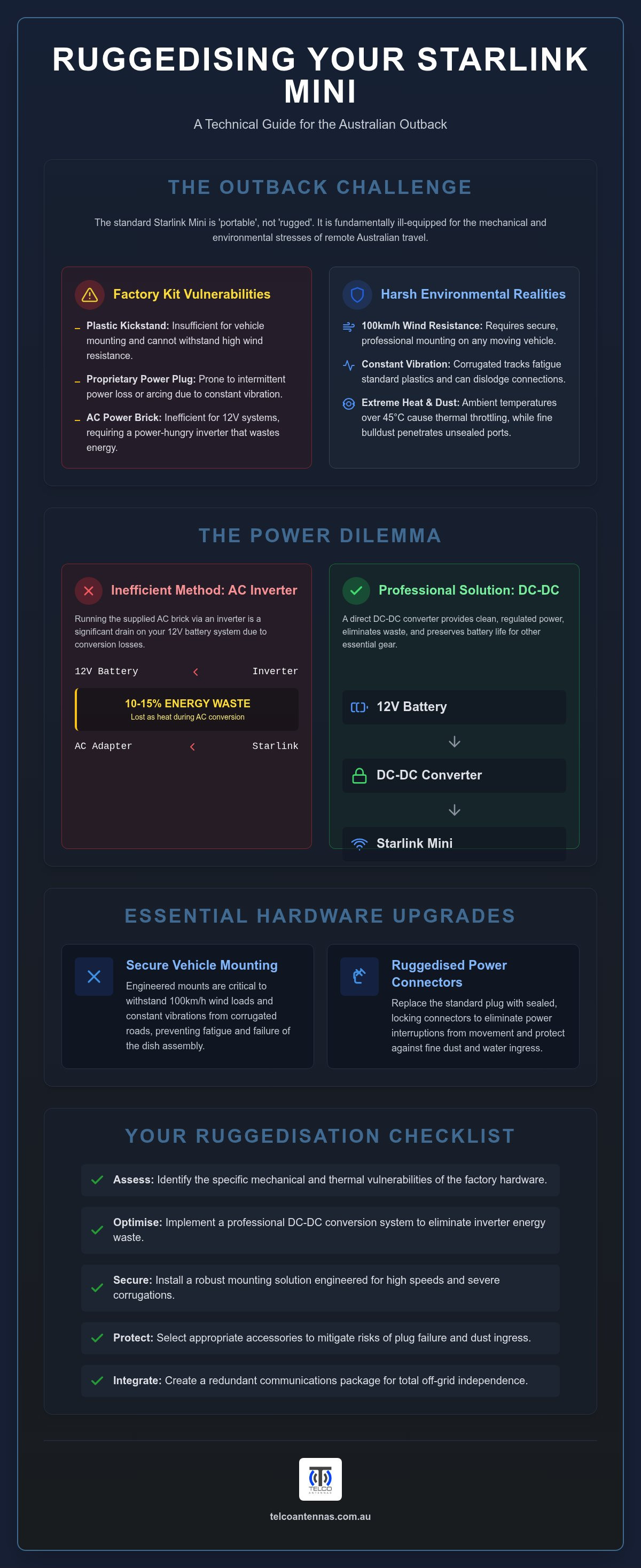
This technical roundup provides a clear path to ruggedising your setup, identifying every essential starlink mini accessory needed to integrate the dish into a professional 12V vehicle ecosystem. We will detail the hardware required for high-efficiency DC-DC power conversion that avoids the energy waste of an inverter, alongside mounting solutions engineered to withstand 100km/h winds and constant vibration. By the end of this guide, you will understand how to bypass proprietary connector limitations to achieve a reliable, permanent, and totally independent off-grid communication system.
Key Takeaways
- Identify the specific mechanical and thermal vulnerabilities of factory Starlink Mini hardware when subjected to the extreme conditions and constant vibration of remote Australian tracks.
- Optimise your off-grid power efficiency by implementing a professional-grade DC-DC conversion system that eliminates the significant energy waste associated with traditional AC inverters.
- Evaluate the most secure mounting options for utes and caravans to ensure your equipment remains stable during 100km/h winds and severe road corrugations.
- Select the appropriate starlink mini accessory to mitigate the risks of proprietary plug failure and dust ingress in high-exposure outback environments.
- Learn how to integrate satellite connectivity with existing mobile signal enhancement hardware to create a redundant and reliable communication package for total independence.
Why the Starlink Mini Ecosystem Requires Ruggedisation
The Starlink Mini is engineered for high-performance connectivity within the Starlink satellite constellation, but its factory configuration is designed for a global consumer market rather than the mechanical stresses of the Australian outback. There is a fundamental distinction between a device being "portable" and being "rugged". While the Mini is light enough to carry in a backpack, it lacks the structural reinforcement required to survive thousands of kilometres on unsealed roads or permanent mounting on a 4WD.
The factory hardware contains several critical failure points when used in mobile applications. The proprietary DC power plug is susceptible to movement under vibration, which can lead to intermittent power loss or arcing. Similarly, the integrated plastic kickstand is insufficient for mounting on a vehicle roof rack where it must withstand 100km/h wind resistance. Without a specialised starlink mini accessory to address these mechanical weaknesses, users often face hardware failure mid-trip. This is often referred to as the "Starlink Tax", where generic or poorly designed third-party gear fails in high-heat environments, necessitating a second, more expensive purchase of professional-grade hardware.
Environmental Stressors in Remote Australia
Thermal management is a primary concern. The Mini has an average power draw of 20 to 40 watts, but in ambient temperatures exceeding 45°C, internal heat soak can trigger thermal throttling. Direct sun exposure on a vehicle roof rack exacerbates this. Beyond heat, fine bulldust acts as an abrasive that can penetrate non-sealed connections. Constant vibration on corrugated tracks will eventually fatigue standard plastic mounts. A reinforced starlink mini accessory is essential to ensure the dish remains secure and the electronics stay isolated from dust ingress.
The Shift from AC to DC Power for Efficiency
Running the Mini via its supplied AC power brick and a vehicle inverter is an inefficient approach for off-grid travel. Inverters typically lose 10 to 15 percent of energy through heat during the conversion process. For a 12V dual-battery system, this waste is significant over a 24-hour period. A direct DC-DC setup is the superior technical solution. It maintains a stable voltage regardless of battery state-of-charge, ensuring the Mini receives the consistent power it requires without the parasitic draw of an inverter. This integration allows the dish to function as a seamless part of your vehicle's communication suite, preserving battery longevity for other critical gear like fridges and lighting.
Powering the Mini: 12V Adapters and DC-DC Conversion
The Starlink Mini features an integrated router and a wide DC input range of 12V to 48V, making it theoretically compatible with most vehicle electrical systems. However, the average power draw of 20 to 40 watts can spike significantly during initial satellite acquisition or when the heater is active in cold climates. Attempting to power the unit through a standard 12V cigarette lighter socket often results in voltage sag, causing the dish to reboot or lose connectivity. As highlighted in the 2024 Regional Telecommunications Review, the reliance on satellite technology for remote safety makes a stable power supply a non-negotiable requirement for travellers.
To achieve professional-grade reliability, a DC-DC step-up converter is the preferred technical solution. By stepping up a standard 12V house battery signal to a regulated 24V or 48V, you reduce the current required for the same wattage. This reduction in amperage is critical for managing voltage drop, particularly when the power lead must travel several metres from a battery box to a roof-mounted dish. While USB-C PD (Power Delivery) adapters are a popular starlink mini accessory for weekenders, they often lack the physical locking mechanism and heat dissipation required for permanent installation. For those building a permanent vehicle installation, selecting engineered Starlink power conversion ensures the hardware receives clean, regulated voltage regardless of the alternator's output.
Selecting a Starlink Mini 12V Adapter
When evaluating hardware, look for an adapter that includes a built-in fuse and over-voltage protection to shield the dish from alternator surges. Generic adapters often skimp on shielding, which can introduce RF interference into your vehicle's sensitive electronics. It's essential to use high-quality, heavy-gauge cabling to ensure the dish receives at least 12.5V at the plug under load. For a deeper dive into specific hardware choices, consult our guide on Choosing the Best Starlink Mini 12V Adapter for Australian Off-Grid Use.
Battery Integration for Remote Campsites
Modern LiFePO4 portable power stations are ideal for the Mini, provided they offer a high-output DC port. If you are integrating the dish into a custom canopy setup or caravan battery box, use Anderson plugs for a vibration-proof connection. You should monitor your power consumption via the Starlink app; this allows you to track real-time draw and manage your battery's state-of-charge during extended stays. Integrating a dedicated starlink mini accessory for power management ensures that your connectivity doesn't come at the cost of a flat fridge battery the next morning.
Mounting Solutions for 4WDs, Caravans, and Vans
Securing a Starlink Mini to a vehicle requires a balance between mechanical rigidity and thermal management. While the previous sections addressed the electrical requirements, the physical mount is what ensures the hardware survives the structural stress of the Simpson Desert or the Great Northern Highway. A common oversight in mounting is the impact of heat soak. In ambient temperatures exceeding 40°C, mounting the dish flush against a dark metal roof can lead to thermal throttling. Every professional starlink mini accessory for mounting should provide a minimum 15mm air gap beneath the unit to allow for convective cooling, which is essential when the dish is operating under high load in direct sunlight.
In-motion use introduces further engineering challenges. At highway speeds of 100km/h, the drag force on a satellite dish is significant. Mounting solutions must be rated for these aerodynamic loads while resisting the constant, high-frequency vibration of corrugated roads. While the physical mount provides the structural foundation, the electrical stability during high-vibration travel is often maintained through high-quality DC-to-DC converters located within the vehicle canopy. This combination of mechanical and electrical engineering is what separates a reliable touring setup from a temporary solution that might fail when you are out of range.
Magnetic and Temporary Mounts
For users who need to move their dish between a vehicle and a campsite, magnetic mounts offer a pragmatic compromise. It is vital to select high-pull-force neodymium magnets with a protective rubber coating to prevent scratching the vehicle's paintwork. On corrugated roads, standard magnets can shift; therefore, a four-point magnetic base is the minimum standard for safety. For those who aren't ready to invest in a permanent setup, sourcing high-quality temporary mounts and accessories through Life4Rent is a practical alternative. Quick-release pins allow the dish to be transitioned to a camp table or a tripod in seconds, providing flexibility in timbered country where the vehicle might be parked under heavy canopy.
Permanent installations usually involve roof rack brackets or headboard mounts on utes. Flat-mounting is popular for low-profile aesthetics, but a slight 5 to 10-degree tilt can assist with rain shedding and prevent the accumulation of bird droppings, which can attenuate the signal. When planning a permanent install, consider the potential for signal occlusion from solar panels or swags stored on the rack. For a broader look at how these mounting principles compare to larger hardware, refer to our guide on Starlink Gen 3: A Technical Reference for Australian Deployment (2026). Selecting the correct starlink mini accessory for your specific vehicle configuration is the final step in achieving total connectivity independence.
Cables, Connectors, and Ruggedised Protection
The physical connection between the power source and the dish is often the most overlooked component of a remote setup. While the Mini is rated for outdoor use, its proprietary DC plug is a precision interface that doesn't tolerate the fine, abrasive bulldust found across the Red Centre. Once dust enters the port, it can create high-resistance connections that lead to heat build-up or physical damage during the mating process. A specialised starlink mini accessory like a dust cap or a silicone-sealed aftermarket lead is essential for maintaining long-term electrical continuity. We recommend applying a small amount of non-conductive dielectric grease to the external seals of the connector to improve moisture resistance and prevent the rubber gaskets from perishing in the extreme dry heat of the outback.
Cable Management and Signal Integrity
Cable geometry is just as critical as the connector itself. Coaxial and high-speed data cables are sensitive to tight bends; a bend radius of less than 50mm can cause internal fractures in the shielding or the copper core. This mechanical damage is often invisible to the naked eye but results in significant packet loss and reduced throughput. In high-interference environments, such as vehicles equipped with multiple UHF radios, Cel-Fi boosters, or high-output alternators, using cables with superior shielding is a technical necessity. While standard leads might suffice in suburban areas, remote travel requires the signal integrity offered by high-grade shielding to block electromagnetic interference from other vehicle systems. Managing excess cable length with Velcro ties rather than tight zip-ties prevents crushing the cable jacket while keeping the installation organised.
Storage and Transport Solutions
Protecting the hardware during transit is the final step in a comprehensive ruggedisation strategy. The phased-array surface of the Mini is susceptible to impact damage and scratching from loose recovery gear or tools in a vehicle canopy. A hard-shell case with custom-cut high-density foam inserts provides the best protection against the constant, high-frequency vibration of corrugated roads. These cases also serve as a secondary barrier against dust ingress for the entire unit. When the system is dismantled, ensure that every port is fitted with a dedicated dust cap to keep the internal pins clean. This simple habit prevents the need for invasive cleaning of the internal pins, which are fragile and difficult to repair in the field. For those seeking the most durable components for their build, exploring our range of ruggedised Starlink power and cable solutions ensures your hardware remains operational regardless of the terrain.
The Telco Antennas Approach to Starlink Integration
At Telco Antennas, we approach remote connectivity from an engineering perspective rather than a retail one. While the primary hardware is supplied by Starlink, the success of a deployment in the Australian bush depends on the quality of the secondary ecosystem. We prioritise high-specification power conversion because voltage stability is the single most important factor in preventing hardware reboots during satellite handovers. Every starlink mini accessory we recommend or develop undergoes rigorous testing to ensure it meets the mechanical and electrical demands of our local environment. Our goal is to eliminate the variables that lead to field failure, providing a level of reliability that matches the needs of professional tourers, remote workers, and even event specialists like Full House Casino Events who require dependable comms in any setting.
A truly resilient off-grid setup acknowledges that no single technology is infallible. While the Starlink Mini provides impressive bandwidth, terrestrial 4G and 5G networks remain vital for low-latency communication and emergency backups. We specialise in integrating satellite dishes with Cel-Fi GO Signal Boosters to provide a total communication package. By using high-gain MIMO antennas to enhance cellular throughput, you can maintain connectivity even when the satellite dish is stowed for travel or obstructed by heavy timber. This multi-layered approach ensures that you are never reliant on a single point of failure when navigating the most isolated regions of the country.
Custom Engineering and Site Support
For commercial, industrial, or agricultural deployments, we provide consultative advice that goes beyond basic consumer gear. This includes conducting RF site surveys to ensure fixed installations are optimised for maximum uptime. Our focus is on ensuring all hardware, including any starlink mini accessory used in the build, complies with Australian RF and electrical standards. When deploying Starlink in fixed remote locations, such as cattle stations or remote telemetry sites, the mounting requirements change significantly. We offer specialised hardware including aluminium tri-pods and telescopic mast trailers to ensure the dish is elevated above local obstructions. This methodical approach ensures your communication infrastructure is future-proofed for the next generation of hardware. Before heading out on your next expedition, verify your power conversion output, inspect your cable seals for dust ingress, and ensure your backup cellular system is fully operational.
Securing Your Remote Connectivity for the Long Haul
Achieving reliable internet in isolated regions requires a shift from consumer-grade thinking to an engineering-focused approach. As we've detailed, the Starlink Mini is a powerful tool, but its longevity on corrugated tracks depends on professional ruggedisation and stable electrical integration. By prioritising a regulated DC-DC power supply over inefficient inverters, you preserve your house battery while protecting the dish from voltage fluctuations. Selecting the correct starlink mini accessory for mounting ensures your equipment remains secure during high-speed travel and extreme thermal events. It's not just about convenience; it's about the mechanical resilience required for the bush.
Telco Antennas provides specialist RF engineering support and ruggedised hardware tested for harsh Australian conditions. Whether you're outfitting a single 4WD or an industrial fleet, our team offers the technical expertise to ensure your comms stay online. We provide national shipping across Australia to support your off-grid goals. Browse our range of professional Starlink power and mounting solutions to finalise your setup. With the right hardware and a methodical installation, you can head bush with total confidence in your connectivity.
Frequently Asked Questions
Can I run the Starlink Mini directly off my car's 12V cigarette lighter socket?
Technically yes, but it's a suboptimal solution for remote touring. Standard 12V sockets are prone to vibration-induced disconnects and voltage sag. The Mini requires a stable input between 12V and 48V, yet car batteries can dip during heavy loads. A dedicated starlink mini accessory, such as a hardwired DC-DC converter, provides a regulated 24V or 48V output. This setup prevents reboots and ensures your connection remains stable even when the vehicle's alternator or battery voltage fluctuates.
What is the best way to mount a Starlink Mini to a Rhino-Rack or Yakima roof rack?
The most reliable method is using a dedicated aluminium bracket that integrates with the rack's T-slots. These mounts are engineered to withstand the high-frequency vibrations of corrugated roads and the aerodynamic drag of highway speeds. It's critical to maintain a small air gap beneath the dish to facilitate convective cooling in high-heat environments. Choosing a purpose-built starlink mini accessory also allows for rapid deployment if you need to move the hardware to a clear line-of-sight.
Does the Starlink Mini require a special 12V to 24V step-up converter?
While the hardware accepts a 12V input, a step-up converter is a superior technical choice for vehicle integration. By increasing the voltage to 24V or 48V, you effectively lower the current required to meet the 20 to 40-watt demand. This reduction in amperage significantly decreases voltage drop across your cabling. It ensures the dish receives consistent power even if your battery state-of-charge is low, preventing the hardware from rebooting during satellite transitions.
Is the Starlink Mini waterproof enough to stay mounted on my roof while driving in rain?
The dish carries an IP67 rating, which provides high resistance to dust and moisture ingress, including heavy rain at highway speeds. However, the connection point remains a potential weak spot. You must ensure the power cable is fully seated and the rubber gaskets are free from debris. For long-term vehicle mounting, we recommend applying a thin layer of dielectric grease to the connector seals to prevent moisture from bypassing the gasket under high wind pressure.
Can I use a standard USB-C cable to power the Starlink Mini?
You can use USB-C if the power source supports the 100W Power Delivery (PD) standard. However, standard USB-C cables aren't designed for the mechanical stress of off-road travel. They often lack the locking mechanisms required to stay seated on corrugated tracks. A hardwired DC lead is a more dependable option, as it uses thicker copper cores to minimise energy waste and provides a more resilient physical interface that won't fail in high-vibration environments.
What happens if dust gets into the Starlink Mini power port?
Dust acts as an abrasive and an insulator, which can lead to poor electrical contact or physical arcing within the port. In the Australian outback, fine bulldust can quickly contaminate an open port, potentially causing permanent damage to the fragile internal pins. If ingress occurs, use compressed air to clear the debris before re-inserting the cable. Always use a protective dust cap when the dish is disconnected to maintain the integrity of the power interface.
Do I need a separate router if I use the Starlink Mini in my caravan?
The Mini features an internal Wi-Fi router, so a separate unit isn't strictly necessary. However, the metal shell of a caravan can significantly attenuate the Wi-Fi signal. If you find the coverage is insufficient inside the van, you can use an Ethernet adapter to link the Mini to a dedicated internal router. This allows you to place the dish in the best position for a clear sky view while maintaining a strong signal throughout the vehicle.
Is it legal to use the Starlink Mini while the vehicle is in motion in Australia?
In-motion use is legal in Australia provided the installation doesn't obstruct the driver's field of vision or violate general road safety regulations. You must also ensure your Starlink service plan specifically allows for mobile use, such as the Roam plan. From a technical standpoint, the mount must be engineered to handle 100km/h wind loads. Securely bolting the hardware to a roof rack is the safest way to ensure compliance and prevent the dish from becoming a projectile.


